1Cherry BlossomOur product
Best for: Getting a checked schematic and the board behind it from a plain-English description
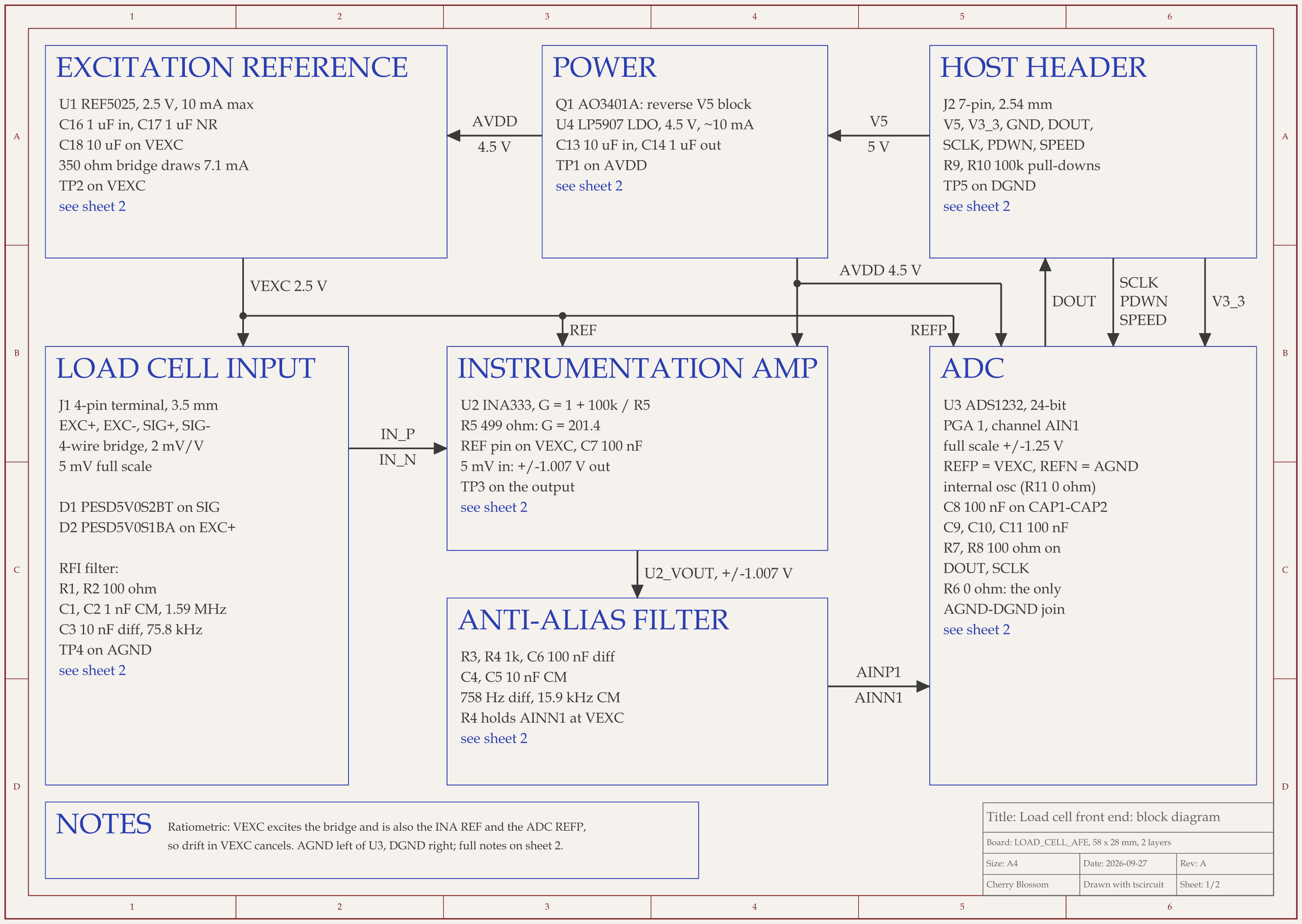
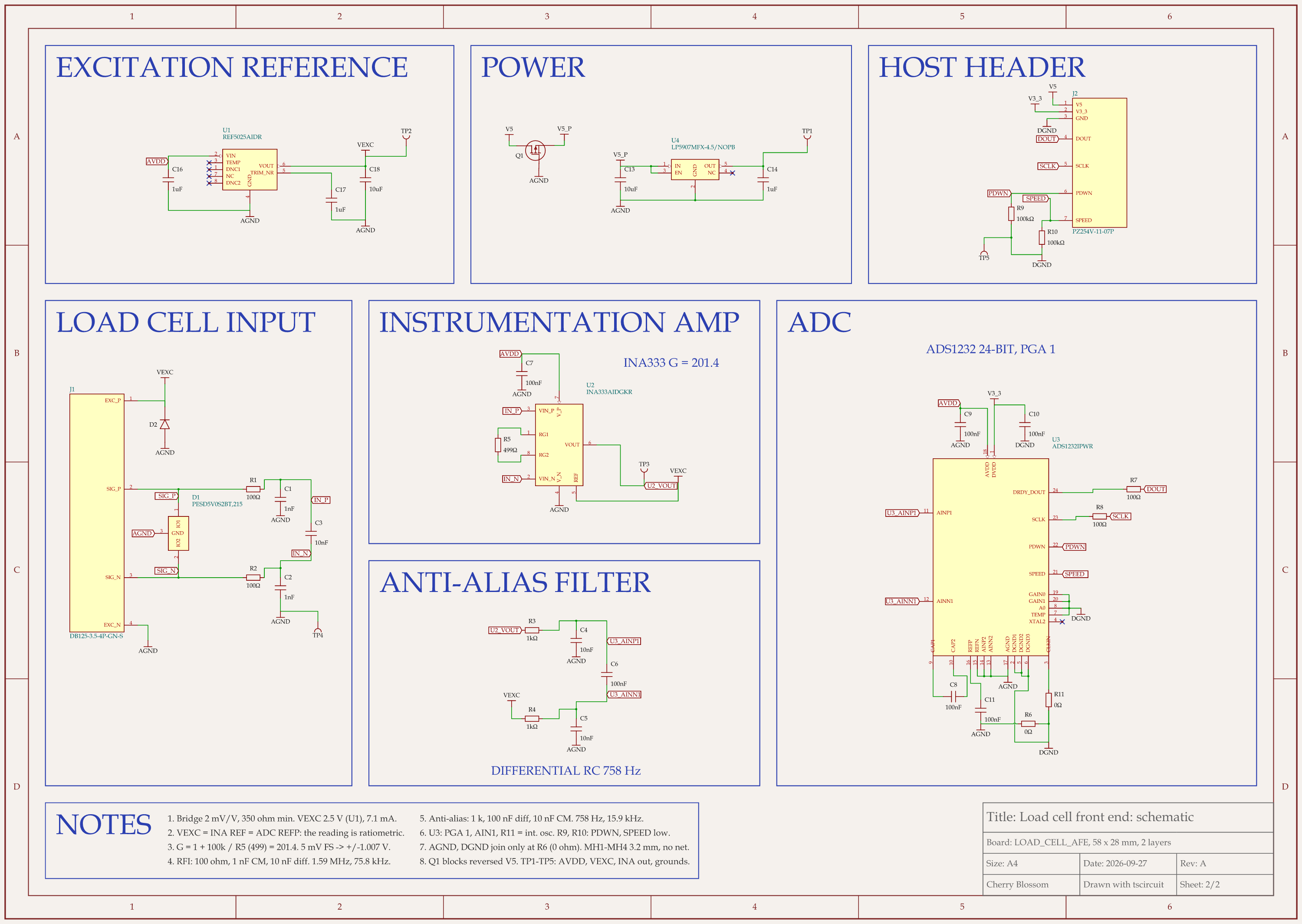
You describe the board in plain English and an AI agent writes it as code, builds it, and shows you the schematic, PCB layout, 3D view and BOM. Footprints come from real part data, and a verification gate checks the board before you can order it. Export Gerbers, an editable KiCad project, a BOM and pick-and-place files, or open Circuit JSON.
Platform
Browser, nothing to install
Pricing
The Free plan is the full editor, by hand, with no AI. Pro adds the AI for $20 a month, with 4M AI credits and 600 AI actions a day. Ultra is $140 a month with 32M credits and the frontier models. Usage past the allowance is $5 per 1M credits, only if you turn it on. There is no API key to connect and no per-seat licence.
2KiCad
Best for: Almost everyone who wants a free, complete path to a PCB
A free, open-source suite (GPL v3) on Windows, macOS and Linux. The schematic editor handles flat and hierarchical sheets, checks connections with an electrical rules check, ships a large library of symbols, footprints and 3D models, and runs ngspice simulations (AC, DC, operating point, transient) from the schematic.
Platform
Windows, macOS, Linux
3Altium Designer
Best for: Professional teams that want schematic and PCB tightly linked
Flat or hierarchical schematics with buses, harnesses and reusable snippets, SPICE simulation built into the editor, and components that carry 3D models, datasheets and live supply chain data. Schematic and PCB are dynamically linked with a managed change process.
Pricing
Annual subscription; extra Altium Develop authors are $995 a year each, as listed on Altium's pricing page, September 2026
4Cadence OrCAD X Capture
Best for: Engineers who simulate a lot and want a live BOM
Capture with built-in PSpice (DC, AC, transient, Monte Carlo and worst-case analysis), a Live BOM that flags availability and lifecycle risk, Ultra Librarian parts inside the editor, and constraint management that carries from schematic into layout.
Platform
Desktop, with cloud collaboration
Pricing
Standard, Professional and Professional Plus tiers; free trial
5EasyEDA
Best for: Hobbyists and students who want free, browser-based capture
Free for everyone, commercial use included. The Standard edition is simple and handles designs up to 300 devices with basic simulation. The Pro edition scales to tens of thousands of devices.
Platform
Browser and desktop
Pricing
Free; Premium storage from $19.9 a month billed annually, as listed on EasyEDA's pricing page, September 2026
6Flux
Best for: Teams that want to edit the same schematic together in a browser
A full ECAD in the browser with real-time multiplayer editing, live parts data and an AI copilot that can help place parts and review designs. AI usage is metered separately.
Pricing
Free Explore plan; paid plans meter AI in Agent Compute Units
7DipTrace
Best for: People who want to buy once and own it
Multi-sheet hierarchical schematics, an electrical rules check, a built-in SPICE simulator, and import and export for Altium, Eagle, OrCAD, PADS and KiCad. Schematics are stored as text-based XML, which works with Git.
Pricing
Perpetual licences from $75 (300 pins) to $995 (unlimited), as listed on DipTrace's online store, September 2026
8Proteus
Best for: Embedded projects where you want to simulate the microcontroller too
Labcenter's suite combines schematic capture, PCB layout and simulation of complete embedded systems, including microcontrollers and peripherals, inside the schematic. Labcenter sells it to industry and to schools, with an AI assistant for each (ProPilot and ProTutor).
Pricing
Paid licences; see Labcenter's site
9LTspice
Best for: Simulating analog and power circuits, not making boards
Analog Devices' free SPICE simulator, with its own schematic capture, a waveform viewer and libraries of tens of thousands of models. It is fast on switching regulators. It does not do PCB layout, so the schematic only feeds the simulator.
Cherry Blossom is first because for most people the schematic is a means to an end, and it gets you to that end fastest. You do not place symbols or draw wires. You describe the board, and an agent writes the schematic and the PCB together as tscircuit code, builds them, and shows you the result, with footprints from real part data and a verification gate on every edit. See how prompt to PCB works. If you want to draw the schematic yourself or simulate it, KiCad or LTspice is the better fit. The Free plan is the full editor, by hand, with no AI. Pro adds the AI for $20 a month, with 4M AI credits and 600 AI actions a day. Ultra is $140 a month with 32M credits and the frontier models. Usage past the allowance is $5 per 1M credits, only if you turn it on. There is no API key to connect and no per-seat licence.
What Cherry Blossom does not do. Cherry Blossom is an early beta. You change a board by asking the agent, not by dragging traces yourself, so fine manual layout happens after a KiCad export. It is not a circuit simulator, it has no real-time multi-user editing, and it is not built for high-speed or RF sign-off.