AI PCB prototyping tools: from idea to a board in your hands
A PCB prototype goes through the same stages every time: an idea becomes a schematic, the schematic becomes a layout, the layout gets checked, and a fab turns it into boards. AI tools now help at each stage. Which ones you need depends mostly on where you are starting from.
By the Cherry Blossom team·
The short answer
The best AI PCB prototyping tool in 2026 is Cherry Blossom for most people who want a working board fast: you describe the board in plain English and get a checked schematic, layout and fab files, ready to order. Flux suits people who want a full browser editor with an AI assistant beside it, and JITX and tscircuit suit engineers who want to write the board as code.
If you already have a schematic and layout is what slows you down, Quilter places and routes from your existing ECAD project, and DeepPCB routes a board you have placed. Ordering is the one stage AI has not changed much: PCBWay and JLCPCB both quote online instantly, so the time AI saves is in everything before the upload.
Which tools take you from an idea to a first board?
Cherry Blossom is made for this stage, and it is our pick. You describe the board in plain English, and an agent in a cloud sandbox writes it as tscircuit code, builds it, and shows the schematic, PCB layout, 3D view and BOM. Footprints come from real part data, each AI edit passes a verification gate, and DRC runs before you can order through a PCBWay hand-off. Exports include Gerbers with drill files, an editable KiCad project, a CSV BOM, pick-and-place and STEP.
1Cherry BlossomOur product
Best for: Going from a plain-English description to a fab-ready board, in the browser
You describe the board in plain English and an AI agent writes it as code, builds it, and shows you the schematic, PCB layout, 3D view and BOM. Footprints come from real part data, and a verification gate checks the board before you can order it. Export Gerbers, an editable KiCad project, a BOM and pick-and-place files, or open Circuit JSON.
Platform
Browser, nothing to install
Pricing
The Free plan is the full editor, by hand, with no AI. Pro adds the AI for $20 a month, with 4M AI credits and 600 AI actions a day. Ultra is $140 a month with 32M credits and the frontier models. Usage past the allowance is $5 per 1M credits, only if you turn it on. There is no API key to connect and no per-seat licence.
The honest limits. Cherry Blossom is an early beta. You change a board by asking the agent, not by dragging traces yourself, so fine manual layout happens after a KiCad export. It is not a circuit simulator, it has no real-time multi-user editing, and it is not built for high-speed or RF sign-off.
Flux is a full schematic and PCB editor in the browser with an AI assistant built in. You can draw the board yourself and ask the AI for help. Its pricing page meters AI use in Agent Compute Units across a free Explore plan and paid plans.
JITX turns requirements into design code. Its site describes Python as the design language, with AI proposing edits that engineers review, and stresses constraints like stackups and signal-integrity targets, with HFSS in the loop. It is aimed at professional teams, and its site leans on aerospace and defence examples. tscircuit, the open-source MIT framework Cherry Blossom builds on, lets you write boards in React and TypeScript yourself or with any coding AI, and exports fab files and KiCad.
Speeding up layout
What if you already have a schematic?
Then layout tools are where AI saves you time. Quilter takes a schematic, board outline and fixed parts from Altium, Cadence, Siemens or KiCad and returns many fabrication-ready candidates with placement and routing done. Its site says boards that took weeks come back in days. DeepPCB routes a board you have already placed, from Altium, KiCad, EasyEDA or a Specctra DSN file, and sells self-serve with pay-as-you-go billing.
Both return designs to your own ECAD, so your team keeps its usual workflow. That matters more on a second or third spin than on a first proof of concept.
Before you pay
How do you check an AI-made prototype before ordering?
Run DRC with your fab's rules. PCBWay publishes rule files for KiCad, Altium, Eagle and Allegro. Cherry Blossom runs its own design check before ordering.
Get a second opinion on the schematic. Traceformer checks KiCad and Altium schematics against datasheets and cites the pages. It has a free tier with one review a month.
Upload the Gerbers to a DFM checker. JLCPCB's JLCDFM is free and checks traces, solder mask, drilling, silkscreen and assembly.
Read the critical parts yourself: power input, regulators, connectors, anything that gets hot.
AI tools still make circuit mistakes. In our EEBench write-up the best model scored 69.3%, about three circuit tasks in ten wrong, so every step above is worth doing, even on a quick prototype.
We built one
How long does an AI take to get from an idea to an orderable prototype?
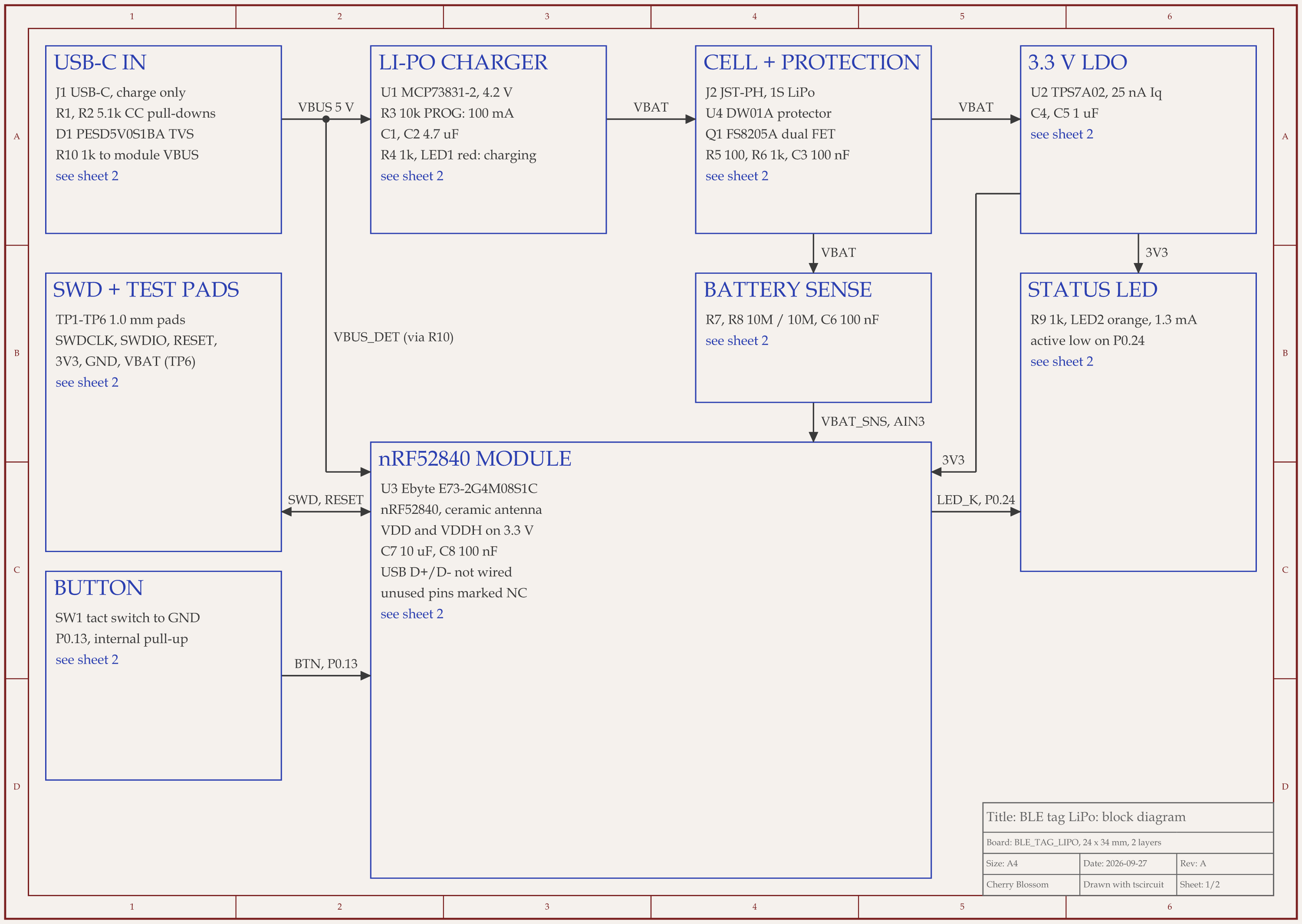
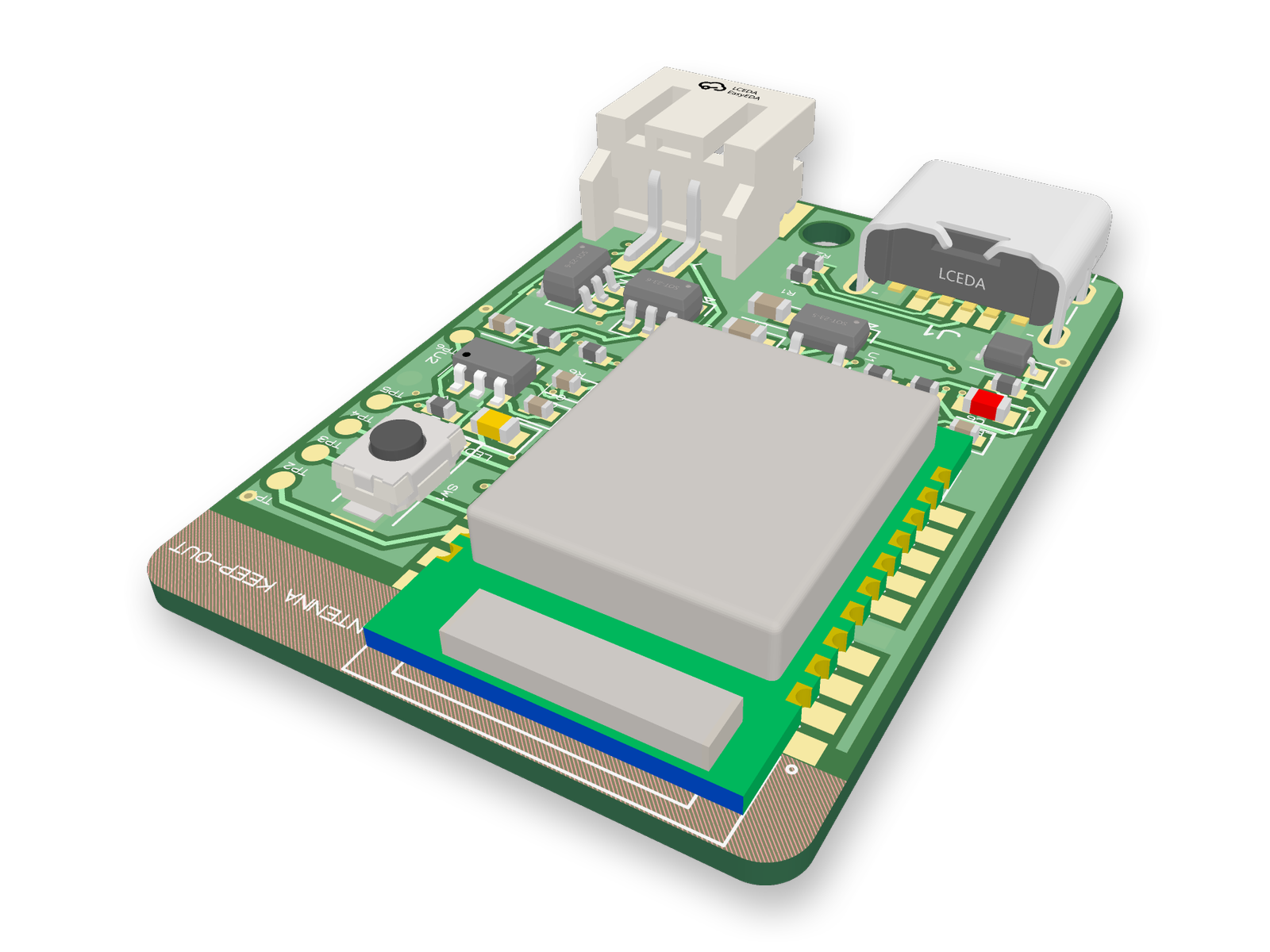
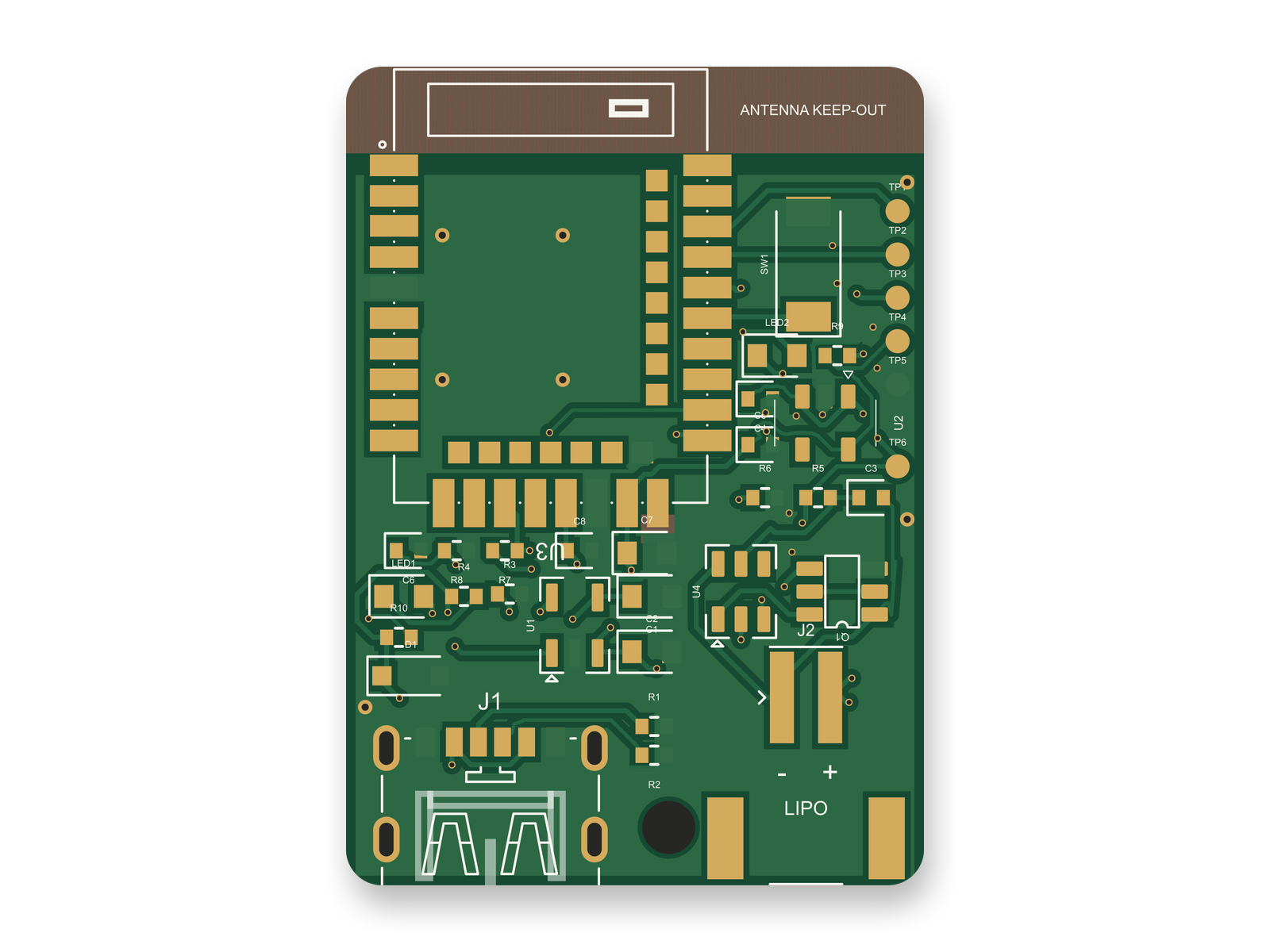
A 24 x 34 mm Bluetooth tag with an nRF52840 module, LiPo charging over USB-C and battery protection: block diagram, routed 2-layer PCB and 3D render.
We timed one. An AI agent built a small Bluetooth tag with tscircuit, the open-source engine Cherry Blossom runs on, on our own machine, with the same tscircuit version and review tool Cherry Blossom's agent uses. The board carries an nRF52840 radio module, a LiPo charger with battery protection, USB-C charging, a button, two LEDs and SWD pads for flashing firmware.
The first fully routed build came 17 minutes 45 seconds after starting from an empty folder. It scored 72 out of 100 on our rubric: 0 DRC errors, but a messy schematic, thin power traces and a board bigger than it needed to be. Three more rounds of fixes took it to 85, and the agent called the board done at 50 minutes 42 seconds.
It wasn't. An outside review then checked the circuit pin by pin against the datasheets and scored it 80. The review found no wiring errors but three risky choices, the worst being raw USB voltage wired straight into a module pin rated 5.8 V at most. One round of fixes raised the circuit to 90, and the layout, redone for the changed parts, scored 88.
Even after that review, done is not the same as ready to order, and we have not had this board made or tested it in hardware. Before paying for boards, a person should still check battery polarity with a meter against the real cell, compare the USB-C and battery connector footprints with the vendor drawings, and read the passives the parts engine picked. Then run the Gerbers through JLCPCB's DFM check and flash test firmware over the SWD pads before ordering a batch.
Ordering
Where do you order the prototype?
PCBWay and JLCPCB both offer instant online quotes for PCB prototypes and assembly, and both list 24-hour build times for simple boards on their sites. Both also do 3D printing and CNC, which helps when the prototype needs an enclosure. Cherry Blossom hands a checked board to PCBWay's own cart and quote, and we take no payment for boards.
Choosing
When is a manual workflow the better choice?
The board is high-speed or RF, and needs controlled impedance and simulation you trust. Use a full ECAD and a field solver.
You need to hand-tune placement for mechanical fit or thermals. A manual editor like KiCad or Flux gives you direct control.
Your company requires a specific ECAD, compliance paperwork or a formal review trail.
See it on your own board
The quickest way to judge any of this is to describe a board and read what comes back: the schematic, the layout, and what the verification gate says about it. It runs in the browser, with the AI included from the Pro plan up.
The best AI tool for PCB prototyping is Cherry Blossom for most people who want a working board fast: it builds the schematic, layout and fab files from a plain-English description, checks every AI edit against manufacturing rules, and hands the board to PCBWay for a quote. Flux gives you a browser editor with a built-in AI assistant if you want to draw the board yourself. JITX and tscircuit let an AI write the board as code. From a finished schematic, Quilter places and routes from Altium, Cadence, Siemens or KiCad projects, and DeepPCB routes a placed board. Before ordering, Traceformer reviews schematics against datasheets and JLCPCB's free JLCDFM checks the Gerbers. PCBWay and JLCPCB both quote online instantly for the build. Whatever you use, read the critical parts of the design yourself.
Yes, AI can design a PCB prototype from a description. Cherry Blossom takes a plain-English description and produces the schematic, PCB layout, BOM and Gerbers, checked against manufacturing rules. Flux's AI assistant can also help build designs inside its editor. Review the result before ordering either way.
PCBWay and JLCPCB both list 24-hour build times for simple prototype boards on their sites, plus shipping. The design stage is usually the slower part, and that is where AI tools save the most time.
Many do. Quilter and DeepPCB read KiCad projects, KiCad MCP servers connect assistants to KiCad directly, and Cherry Blossom and tscircuit export editable KiCad projects.